
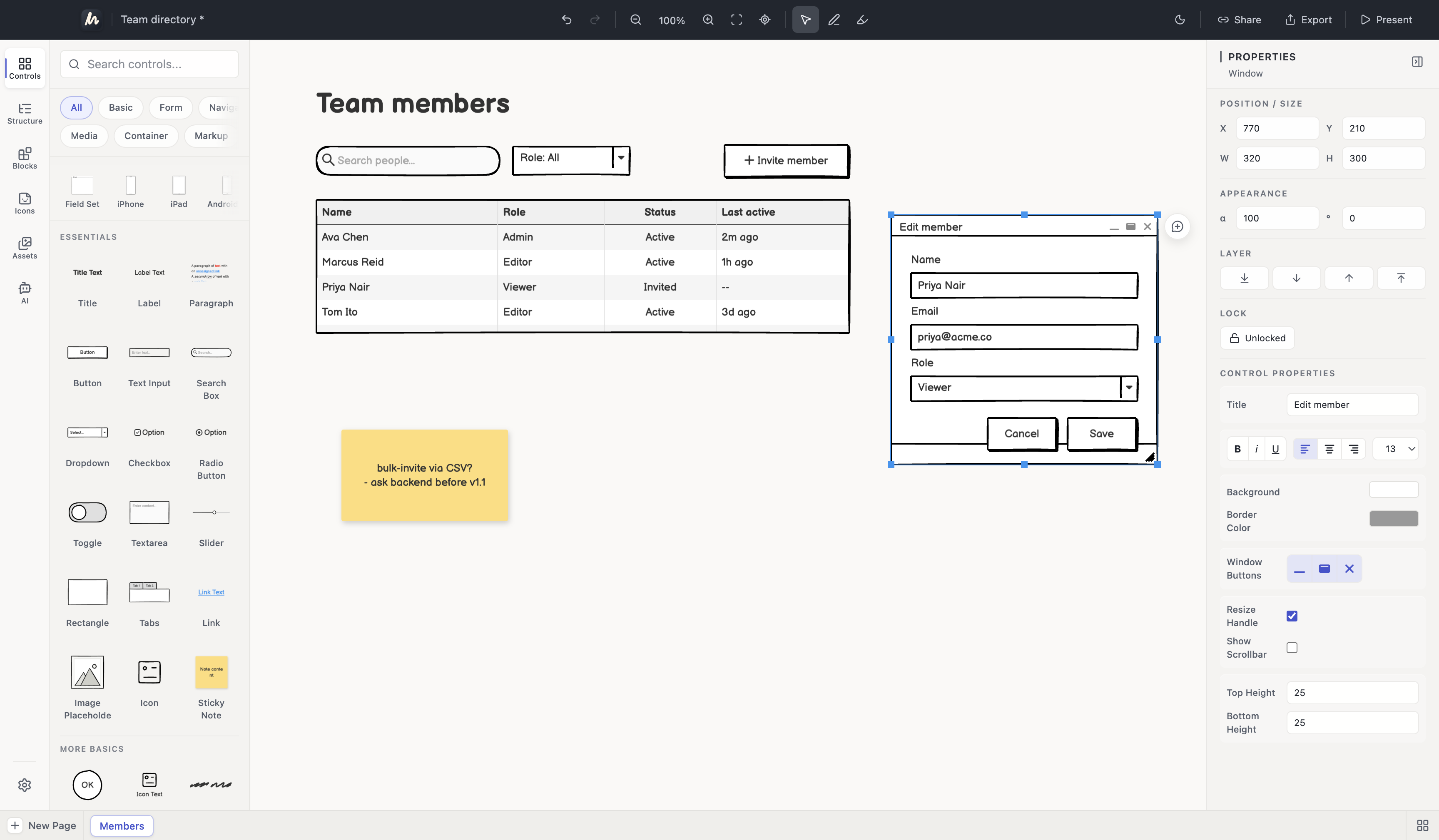
1. Open the file
Download WireMagic free and double-click any .bmpr file, or use File → Open. The file opens in a read-only preview; the original is never written to.
Open .bmpr / BMPR import
Free read-only BMPR preview on macOS and Windows. Double-click a .bmpr file, inspect the import report, and convert to an editable project when you are ready.
WireMagic reads the Balsamiq .bmpr format directly — no Balsamiq installation required. Your file is processed locally, opened read-only, and never uploaded or modified.
How it works
Download WireMagic free and double-click any .bmpr file, or use File → Open. The file opens in a read-only preview; the original is never written to.
A per-file report shows what imported: every page, control counts, Symbols, Alternates, assets, and anything that needs attention — before you spend anything.
Classic, Plus, and Pro convert the preview into a native, editable .wiremagic project stored locally. Your .bmpr stays untouched as a backup.
A real file, from preview to the next edit
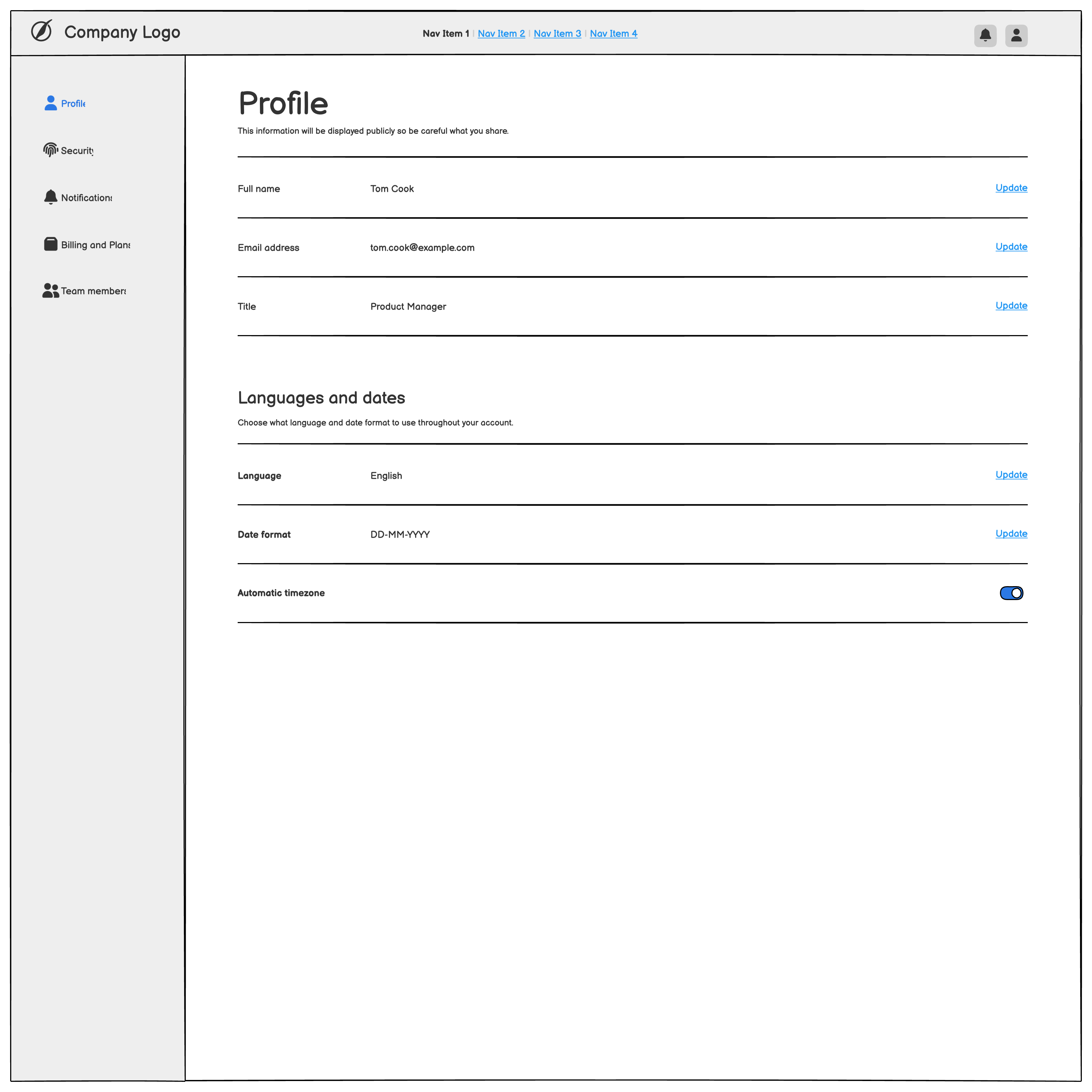
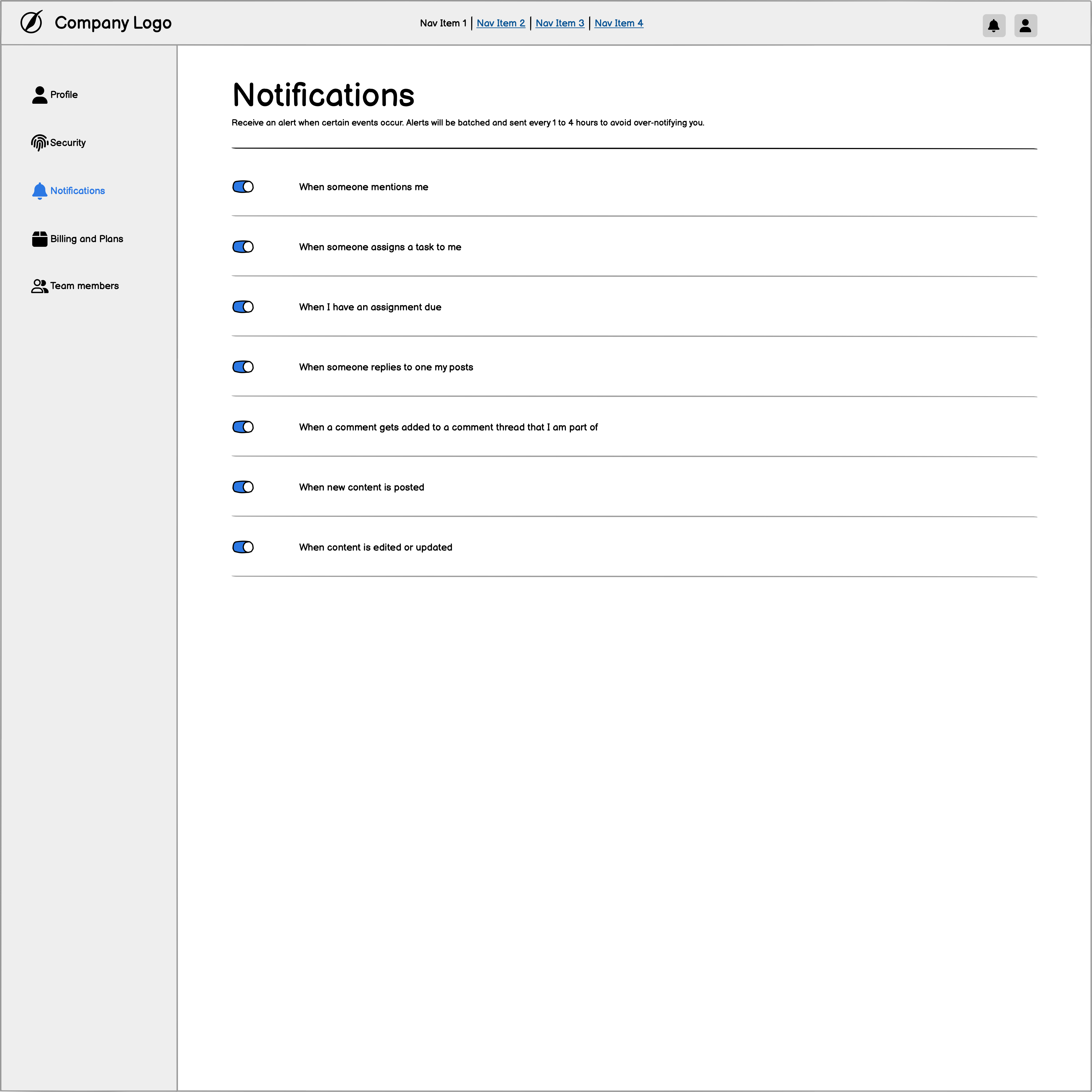
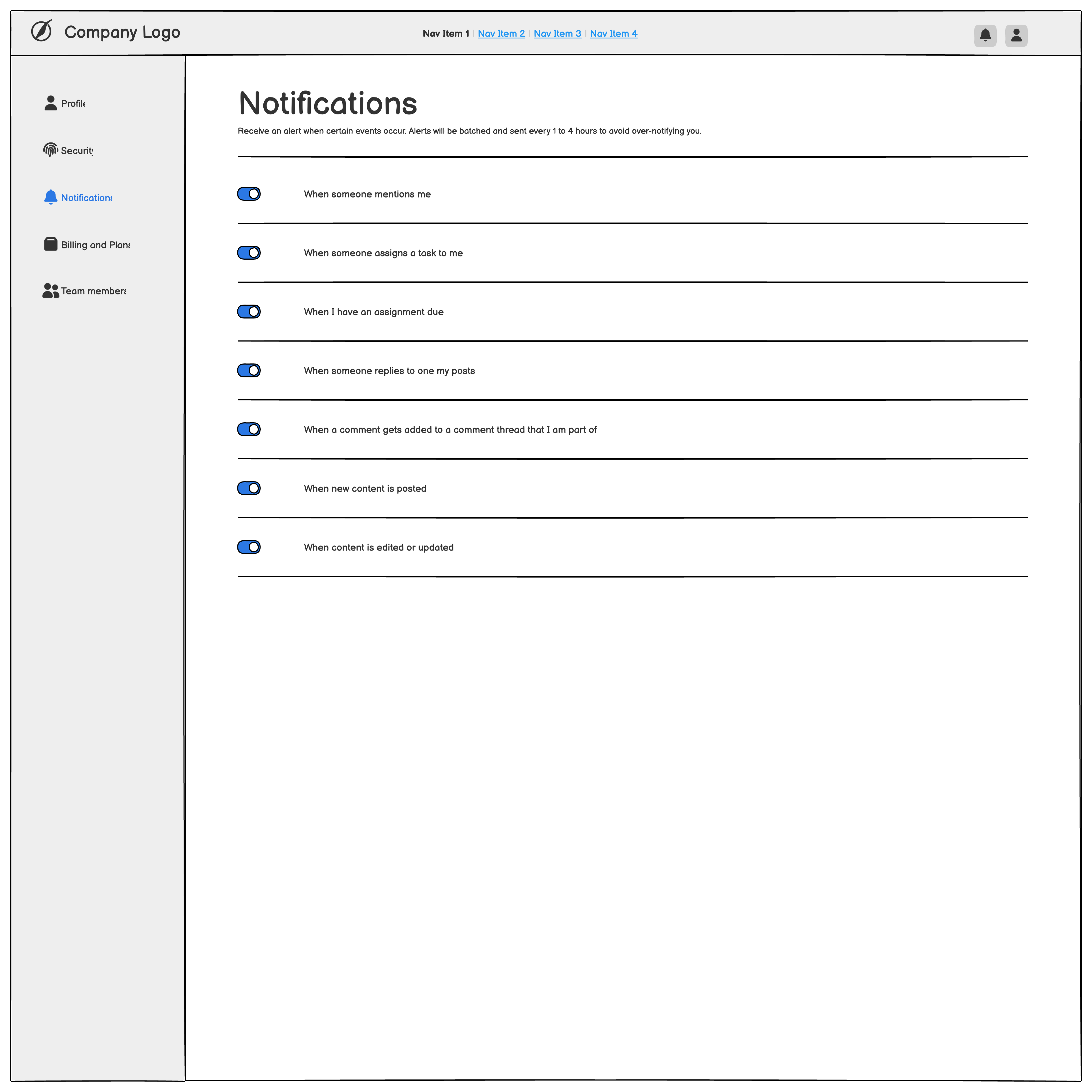
Explore a three-page account-settings project before and after import: team members, a user profile, and notification settings. We converted the file, changed two pieces of text, then saved and reopened it in WireMagic.
Try the same file yourself. Free Basic includes the read-only preview; conversion requires Classic, Plus, or Pro. This demonstration used Classic.
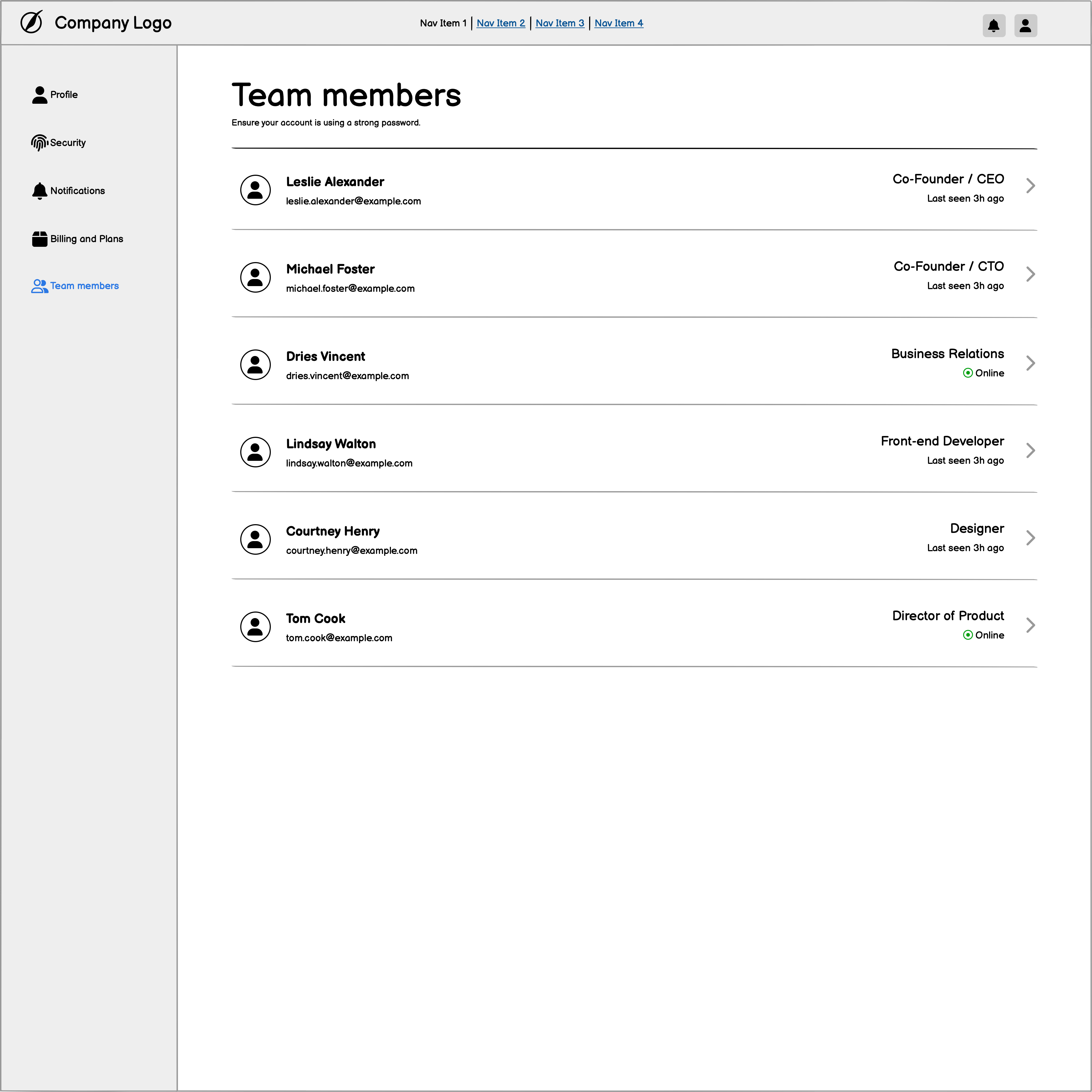
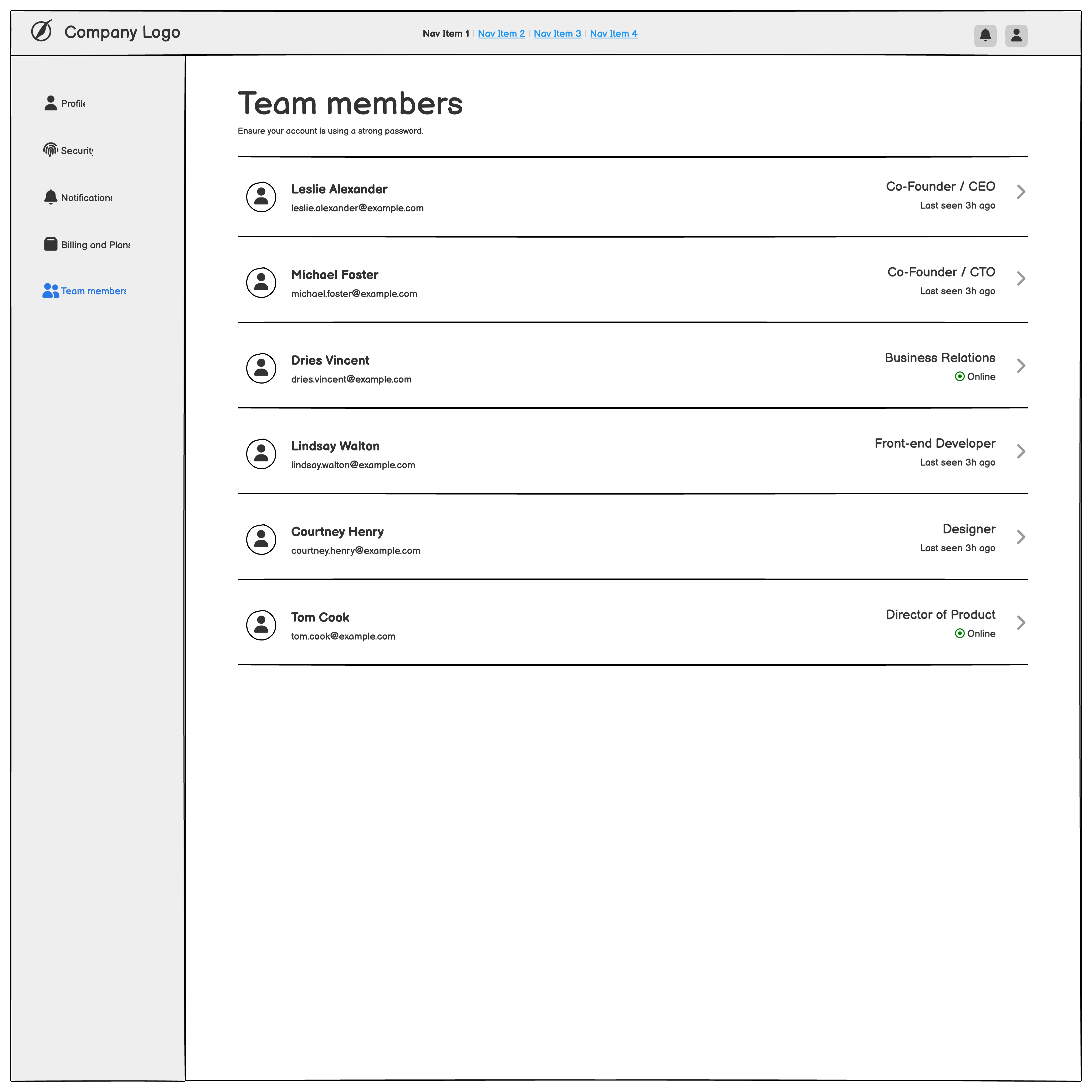
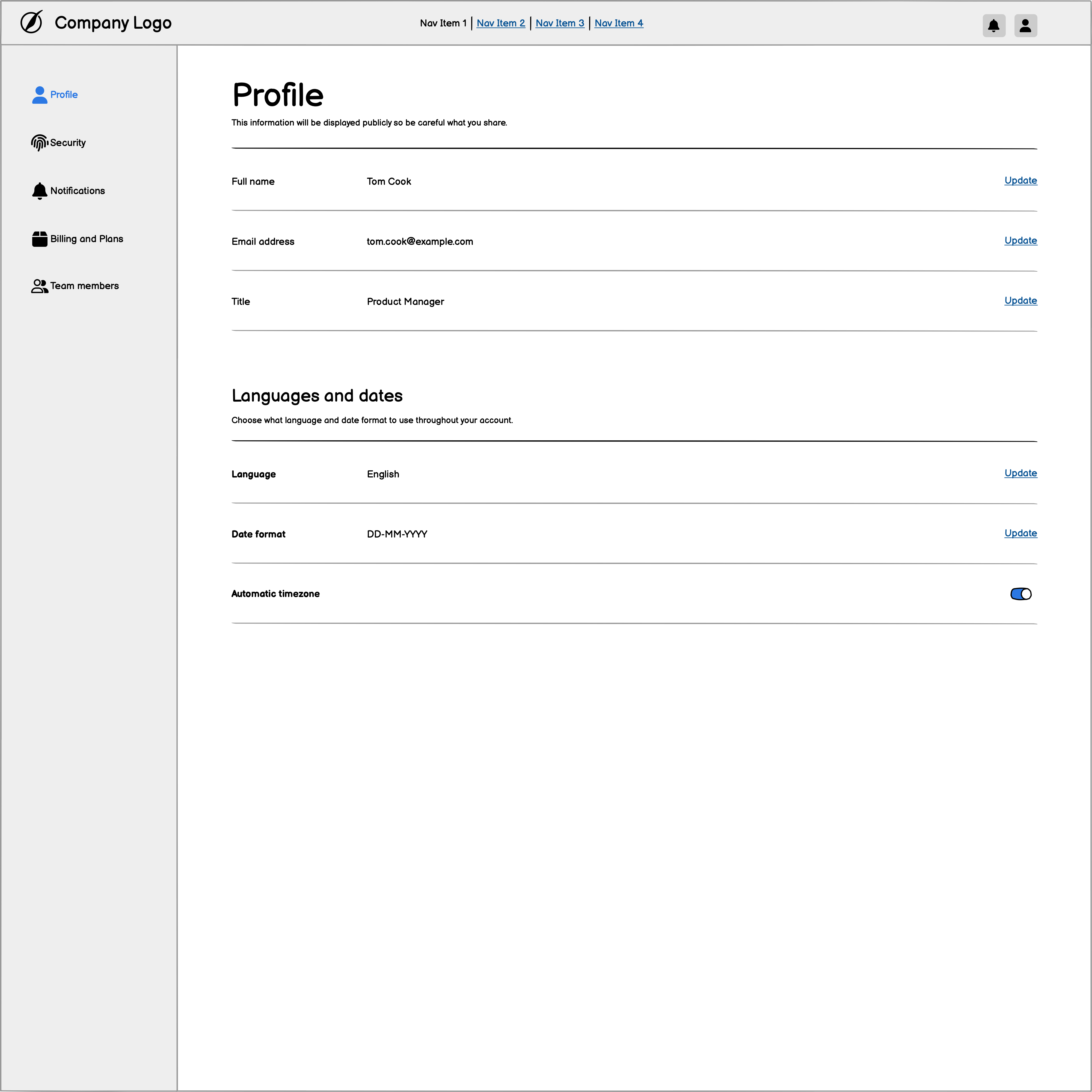
Direct exports from both apps. These cropped views omit only the empty lower canvas; select an image to inspect its full-size original.
Six member rows with roles, activity, and account navigation.
Profile fields, language and date settings, and a timezone toggle.
Seven notification settings with toggles and descriptive labels.
In a separate copy, we ungrouped the outer page group and changed “Team members” to “Team directory”, with the description “Manage the people in your workspace.” After saving, opening another project, and reopening the saved file, all three pages and both text changes remained.
Verified on macOS with Balsamiq 4.8.6 and WireMagic 1.0.2 on . Fonts, line weights, and some icons render differently; some imported sidebar labels are clipped. Review your own project in the free preview. This is a demonstration from a test file, not a customer case study. Read the sample notes and steps.
Import report
Most converters ask you to trust the result. WireMagic shows the result first. Every BMPR preview includes a structured report:
| Report line | What it tells you |
|---|---|
| Pages | Every page with its control count, including pages still in the Balsamiq trash. |
| Controls | Total imported controls across pages and Alternate versions. |
| Symbols | Symbol definitions and instances, plus any Symbol that required a fallback. |
| Alternates | Alternate versions per page, carried into the preview. |
| Assets | Images and other project resources recovered from the file. |
| Unsupported types | Any control type WireMagic cannot map yet, listed by name with counts — flagged, never silently dropped. |
Safety and privacy
FAQ
Yes. Free Basic opens .bmpr files in a read-only preview with the full import report. Editable conversion requires Classic, Plus, or Pro.
No. BMPR files are opened read-only and never written to. Conversion writes a separate native .wiremagic project.
Yes. Both are imported and counted in the report, including any Symbol that required a fallback, so nothing disappears silently.
No. WireMagic reads the .bmpr format directly on macOS and Windows. WireMagic is an independent product from Yibi AI LLC; Balsamiq is a trademark of its owner.
Get started
Download WireMagic free, open a .bmpr file, and see the import report for yourself. Compare plans when you are ready to convert.